The Best Nikon ZR Accessories for Better Shots
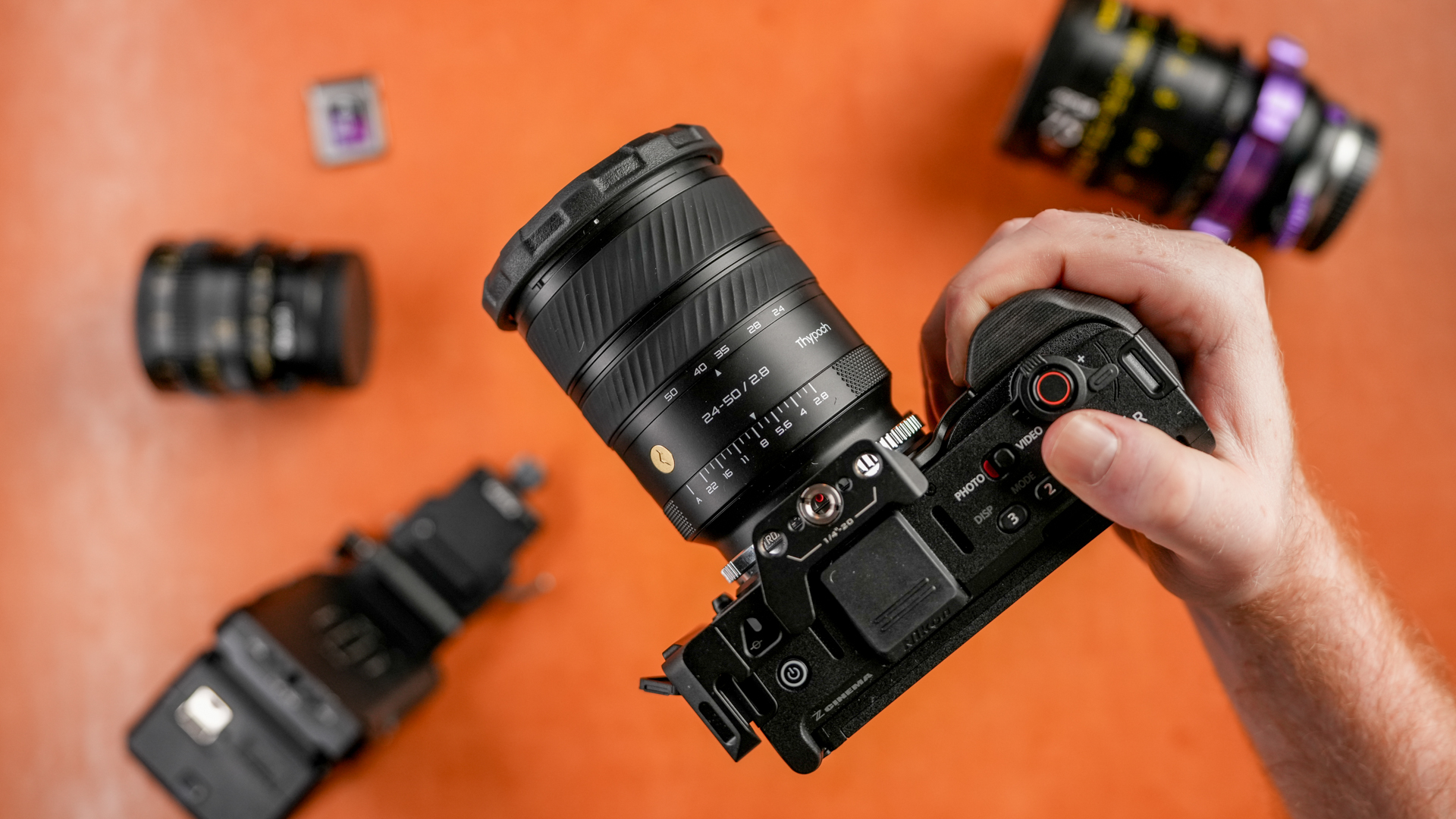
The Nikon ZR is a fantastic, tiny camera. It’s size is one of it’s biggest strenghts, but also one of it’s biggest weaknesses. You can strip it down as light as you’d like, but you can also rig it out to fit whatever your shoot calls for.
After using the ZR for a few weeks, these are all of the accessories I’ve used. Starting with the classic cage/handle/monitor to all of the adapters I’ve been using. As a Sony shooter, with PL and M-mount lenses, I’ve had to buy a ton of different adapters!
Here are my favorite accessories for the Nikon ZR.
CF Express Type B Card
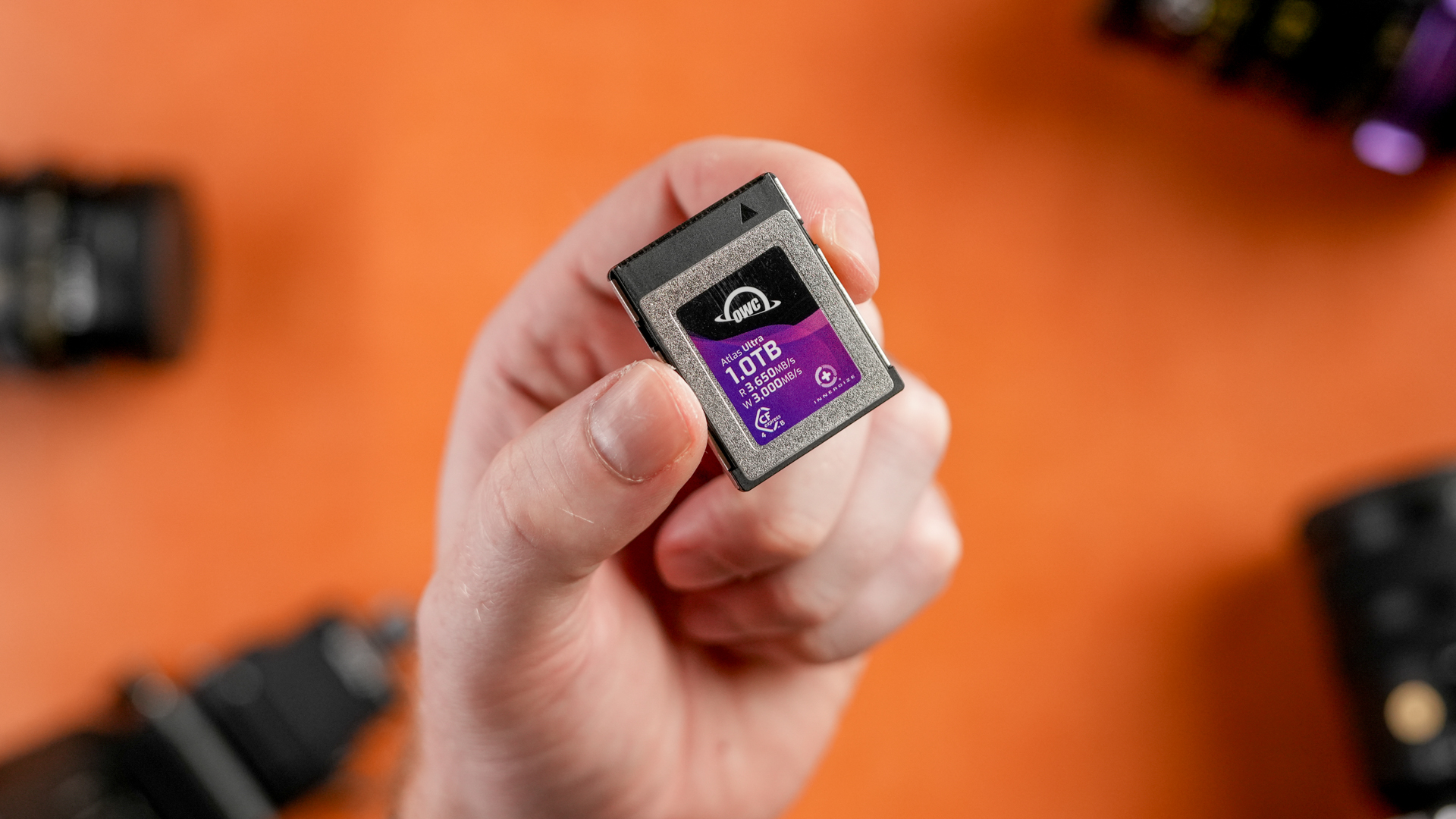
Since I mostly shoot in R3D NE, the Nikon ZR absolutely eats through storage space. Having a card that is fast enough to handle the high data rates, and be reliable enough to trust the card since there is only one card slot, I landed on the OWC Atlas 1 TB card. This will get me about 1 hour of 6k R3D NE footage, or over an hour and a half of 4k R3D NE 24 fps. This care also comes in a 2TB version, considering how much memory the ZR chews through with R3D, you might want to consider the 2TB if it's in your budget.

The Best Nikon ZR Cage
I looked at a lot of cages for the Nikon ZR. I wanted one that did not obstruct the buttons and grip on the right side of the camera, and also had a larger grip, since the ZR pretty much has no traditional grip. The Tilta cage is the one that checked those boxes for me. Also, heads up to later in the article, but the Tilta cage also has an option to buy the cage and V-mount plate that I've been using together. That is the version that I bought, but the rest of this section focuses on why I like the Tilta cage in particular.
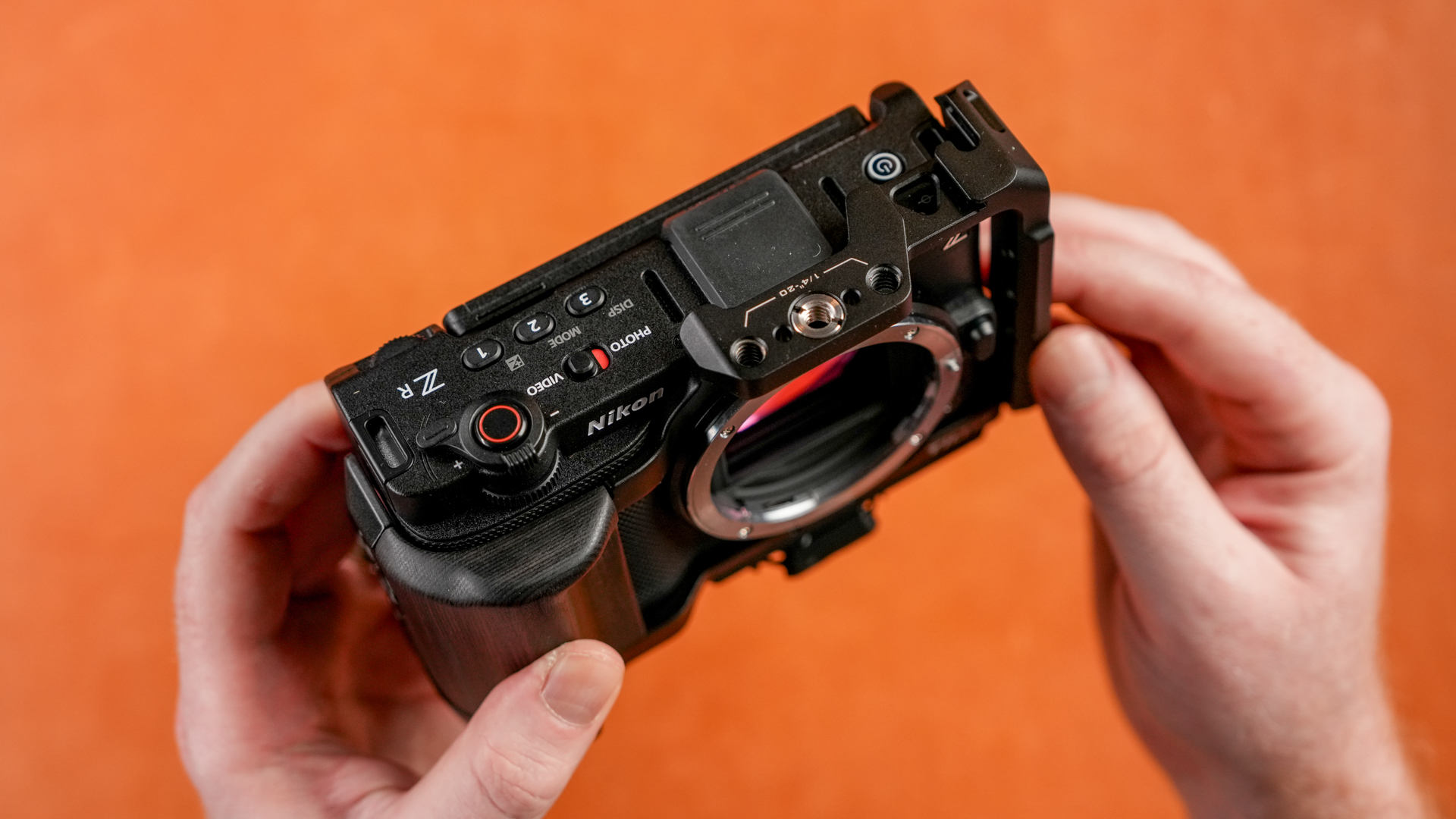
The tilta cage does not obstruct the 3 custom buttons on top, and also has a descent grip. It connects at 3 different points, there is an anti twist pin on the bottom of the camera, the screw on the bottom of the camera, and, surprisingly another point of contact on the top left (if you’re looking at the back of the camera) the clicks into the camera strap holder. This keeps the camera from rotating if the screw on the bottom comes loose.
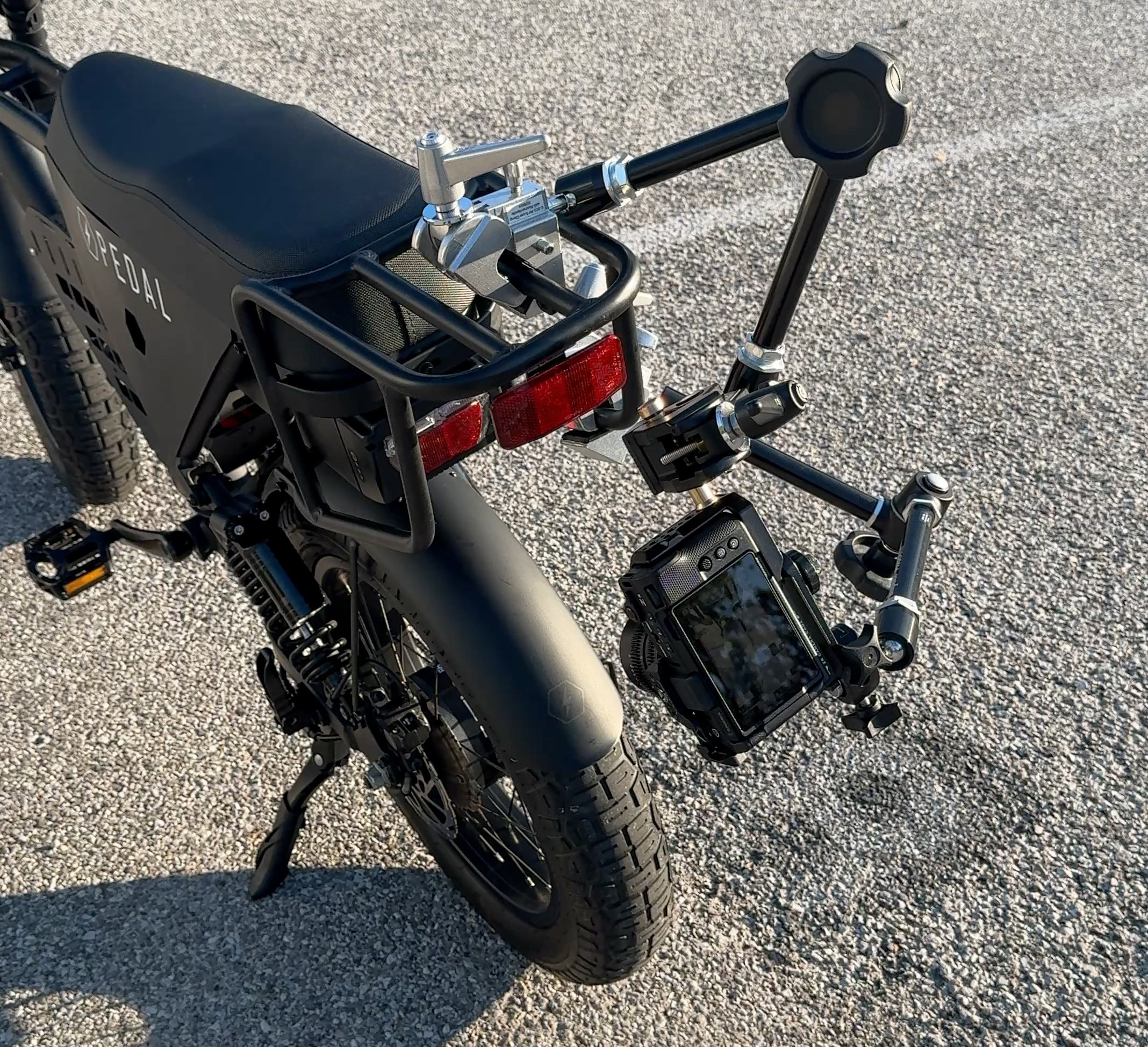
Mounts for the e-bike and motorcycles
I mounted the ZR to my Pedal Electric core 2.0 with a few super clams and magic arms, threaded baby pins, grip heads, 6" vise grip end jaw clamps, vand a double ball joint with camera platform kit.
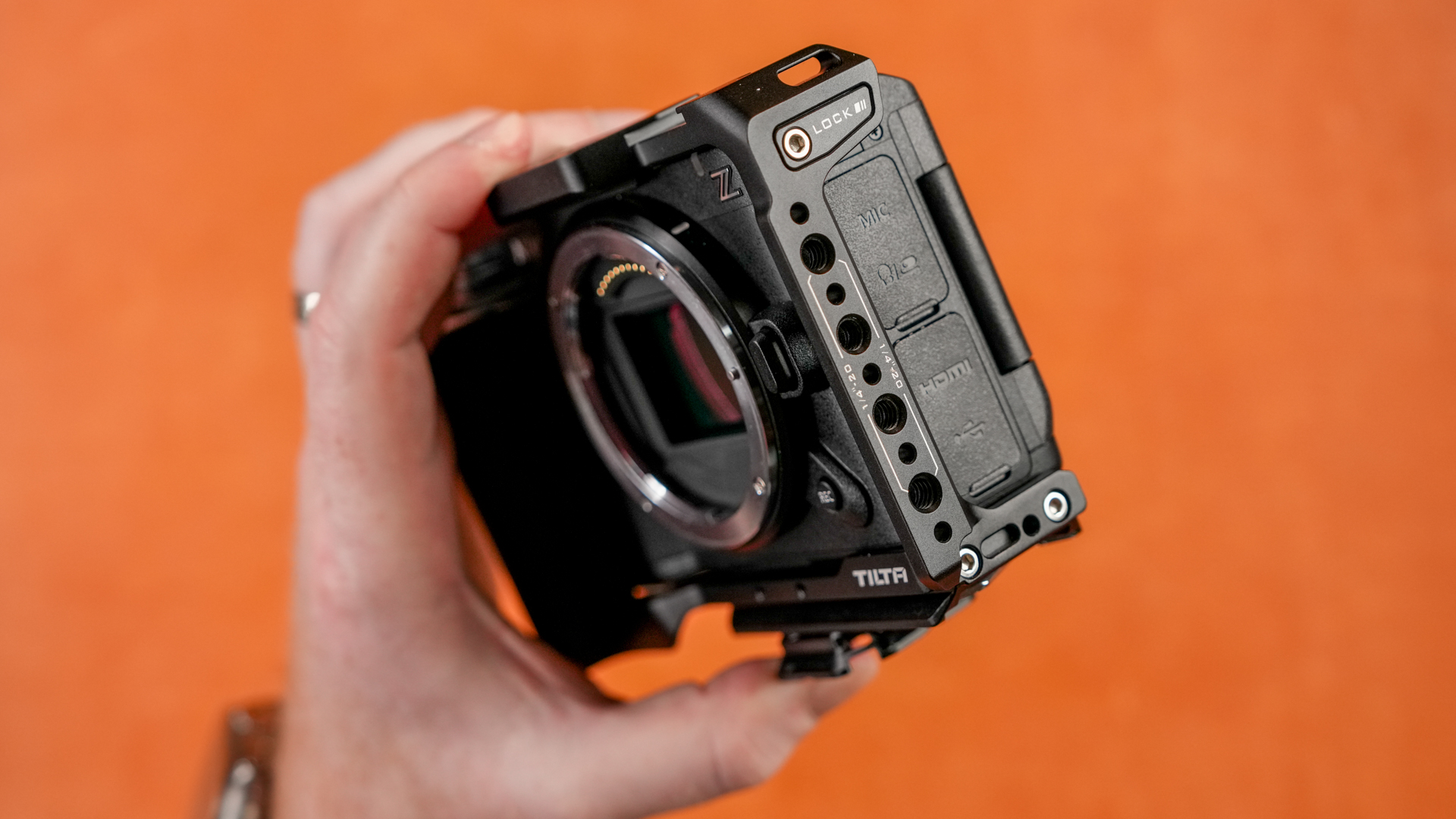
One downsize of the Tilta cage for the Nikon ZR, is that the screen bumps into the edge of the cage when you full articulate the screen out.
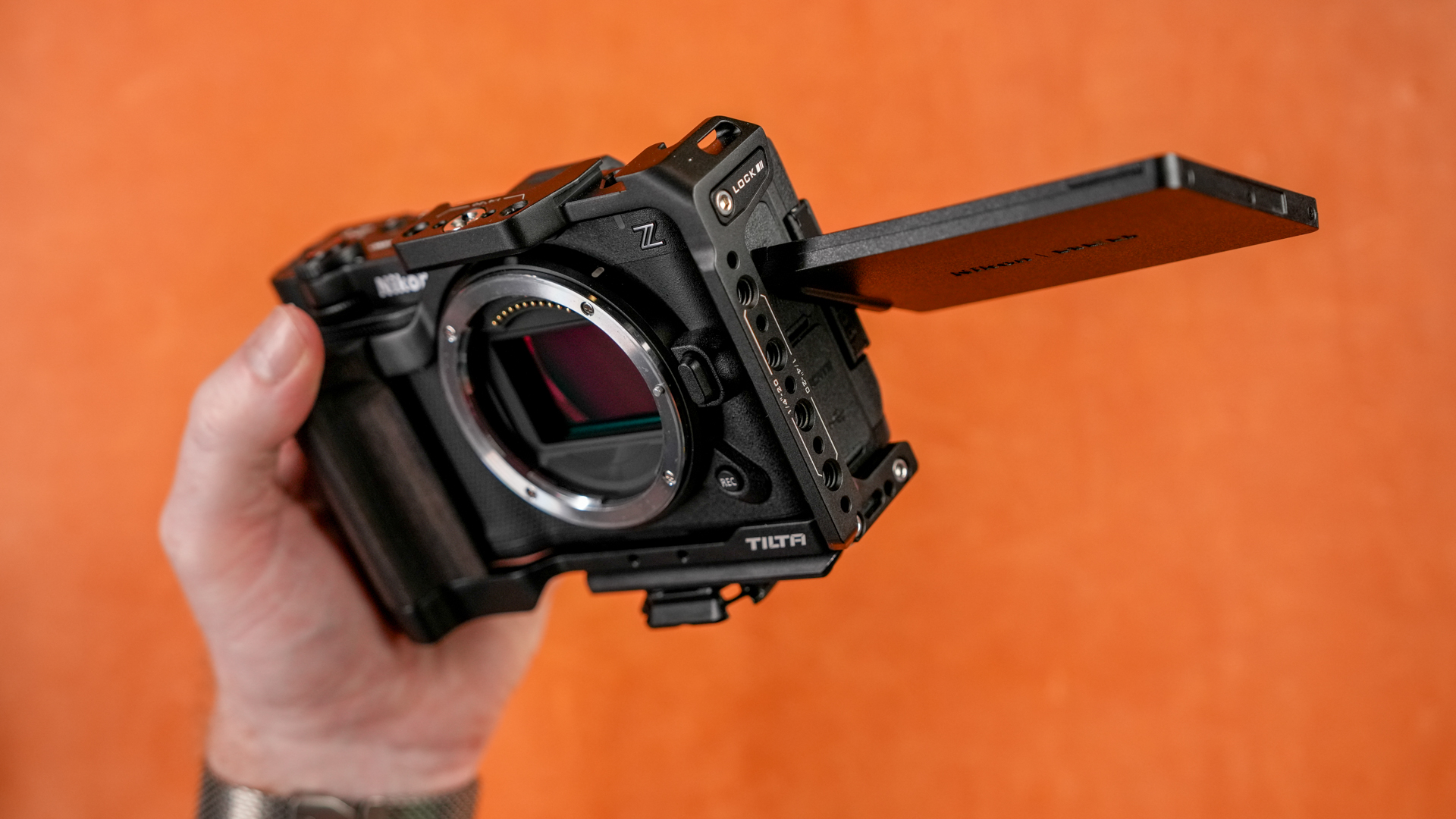
I've been getting around it by tilting the screen slightly in, and then twisting the screen around. Not the end of the world, just took some getting used to. I wish the screen would be able to fully articulate. Would be nice if Tilta cut out a bit of more the cage in a U-shape so the screen could articulate around.
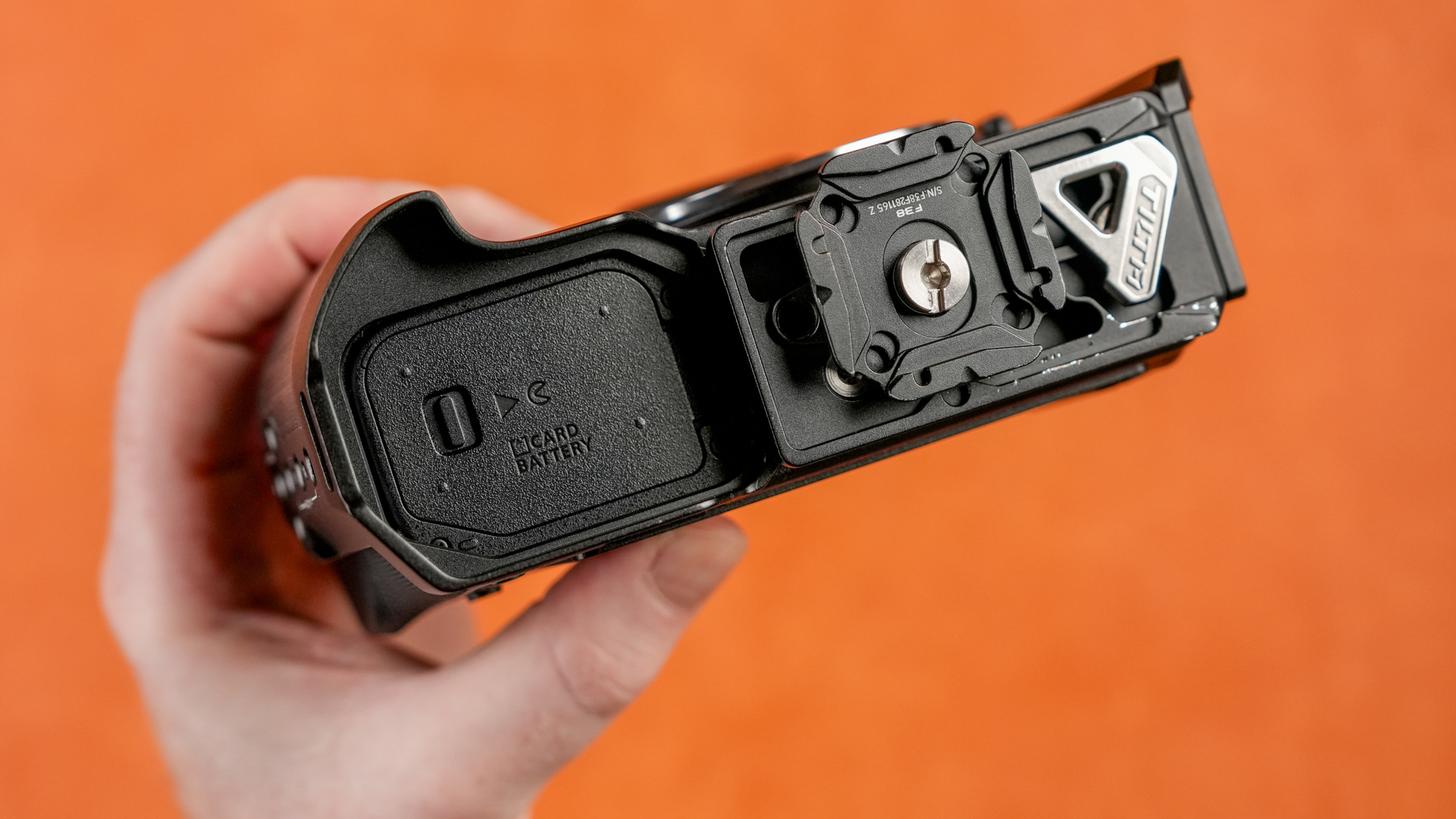
Bottom view of the Tilta cage, I've added an F38 plate to the cage, when I'm not using the v-mount battery slide. I'll get into both of those later!

Pl to Z Adapter
For using PL cine lenses on the Nikon ZR, I went with the Mofage Poco adapter with the VND in the adapter.

To keep the ZR builds as lightweight as possible, having the VND in the adapter eliminates the need for using thread on ND’s which is nice.

One annoyance with the Mofage PL to Z, is that the VND is right next to the lens lock/removal button. So if you want to take the lens off the camera, you have to squeeze by the VND on the adapter to do so. Not difficult, but something to note.

E to Z Adapter
Part of the reason the Nikon ZR was so appealing to me, was because I could use my Sony E-Mount lenses, with autofocus, on the ZR. I ended up going with the Viltrox E to Z-mount adapter.

After reading a few different stories between the Megadap and Viltrox adapters, I decided to go with the Viltrox adapter.

The Viltrox adapter has been great so far, one complaint is that the adapter is so small that it is difficult to remove and put on.

M to Z Adapter
I have the Thypoch Simera-C’s in M-mount, one of the reasons I got them in M, was the ability to adapt them to other camera systems. Great news, the M-mount can be adapted to Nikon Z-mount with a locking adapter.

The M to Z-mount adapter I’ve been using is the Thypoch locking adapter, because it makes a strong enough connection that the lens does not wobble back and forth like some cheaper adapters. It also has a locking mount, so the lens will not come off of the adapter, even if the ring comes loose. Which is nice for these small lenses.
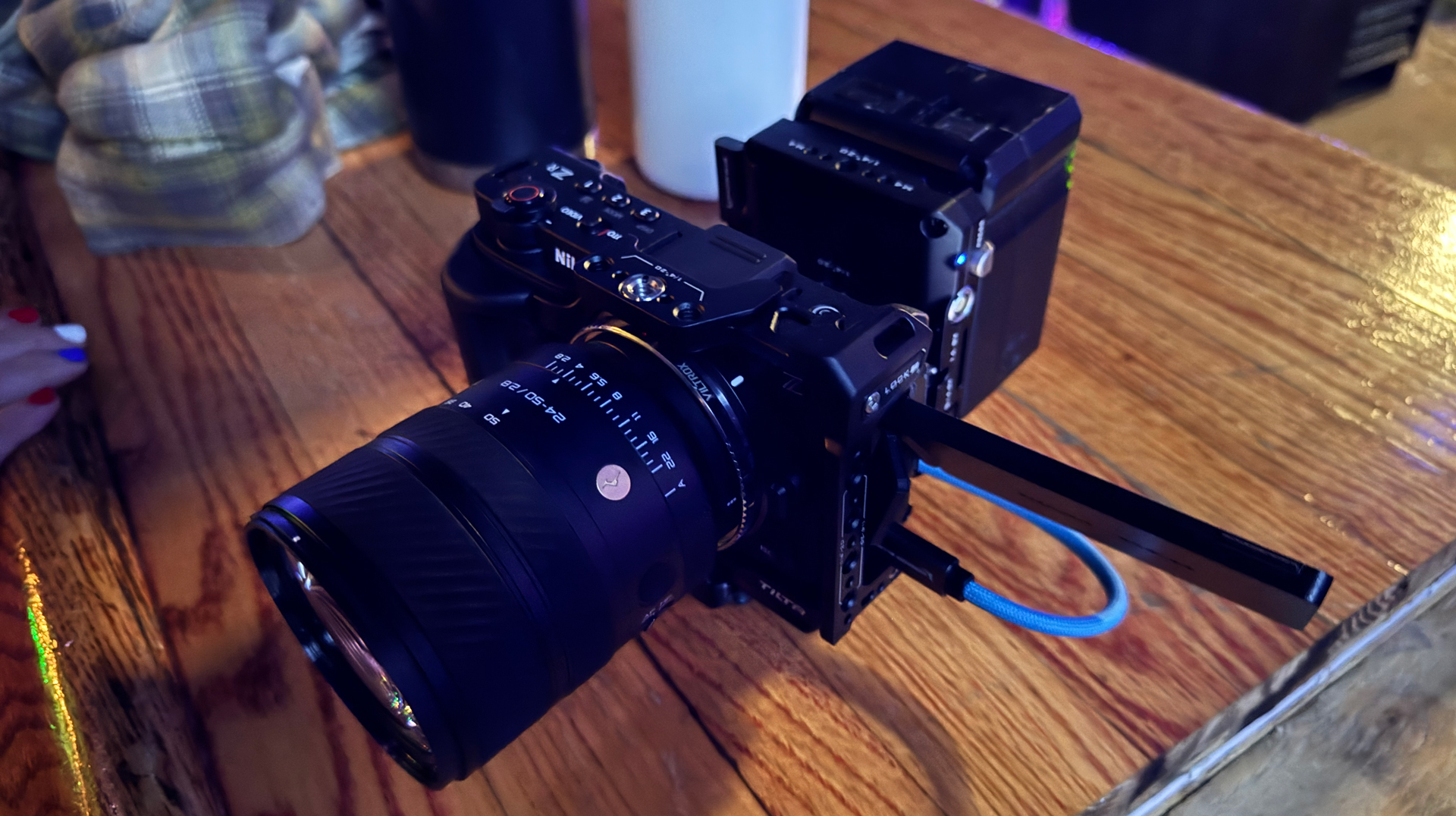
V-Mount Battery Plate
Another reason I went with the Tilta ZR cage, was because it has the option for an arca-swiss v-mount plate that is powered. I love the ability to have a cable run from the battery plate to the camera.
Please excuse this terrible photo from a venue where I was filming a band, the lighting sucked, but this was the setup I was using. Lasted the entire show, and only relied on the screen on the ZR. No monitor needed.
USBC PD Cable
I've used a few different cables, but I've landed on the Kondor Blue 12 in cable, with one side being a right angle cable. I plug the right angle side into the battery plate, and the straight side into the camera.

V-Mount Battery
For the V-mounts, I've been using the Core SWX nano X batteries. They are reliable, have a USBC PD port, and fit nicely onto the tilta plate and they do not pop off if you push up on the bottom of the battery on the plate. It's such a strong connection that I've actually been using the battery plate and battery as a handle on the back of the camera. Nothing urks me more that a v-mount battery that falls off the plate and powers down your camera if you bump it!
I made a whole video and article about them here if you're interested.
Top handle & Monitor Mount
For top handles, I’ve been using a smallrig nato top handle, and putting my monitor on the front of it. This is the classic mirrorless setup.
For monitor mounts, I’ve been using this tilta mount, to a wooden camera smallhd anti twist to 3/8ths anti-twist, to a smallhd cine 7.
Monitor
I’ve been using the Small HD Cine 7 as my way of exposing the Nikon ZR. The screen on the camera is great, but if find getting consistent exposures in different lighting situations kind of difficult. I know and trust the false color on my Cine 7 from other cameras, so I've been using that as my "source of truth" on the ZR if I have to.
If I'm just filming for fun or social content, I've been only using the screen on the ZR and the histogram. It's not perfect, but as long as youre paying attention to the histogram and not clipping, I've had decent results.
HDMI Cable
Full Size HDMI + Micro Adapter
For the HDMI cable, I’ve been using to different options. First one using the kondor blue HDMI to HDMI cable, and using the smallrig mini hdmi to hdmi adapter. Downside, I have to keep this on the cage, and this tilta cage isn’t exactly compatible with both of these screws, so I’m only using one.
I like the Tilta cage the best, so I’m ok with this. I’m sure Tilta will come up with their version of this hdmi adapter someday, or you can just use a mini to normal hdmi cable.
Micro HDMI Cable
The next option, is just using a Micro to HDMI cable, I picked up the Kondor Blue coiled Micro to HDMI cable. This was good while I was using my monitor all the time, but when I wasn't using the monitor, I still had the mini hdmi to hdmi adapter on the cage and it was a little annoying.
Nikon ZR Rig and Accessories
The Nikon ZR is one of my favorite new, compact cameras. You can put a lens on it, and let it rip. Or adapt multiple different lens systems to the Z-mount. Or build it out into an all-day shooting setup.
The ability to shoot 6k R3D NE in such a small package makes me want to pick this camera up and shoot even more.